Custom Themes
Currently supporting Landing page customizations
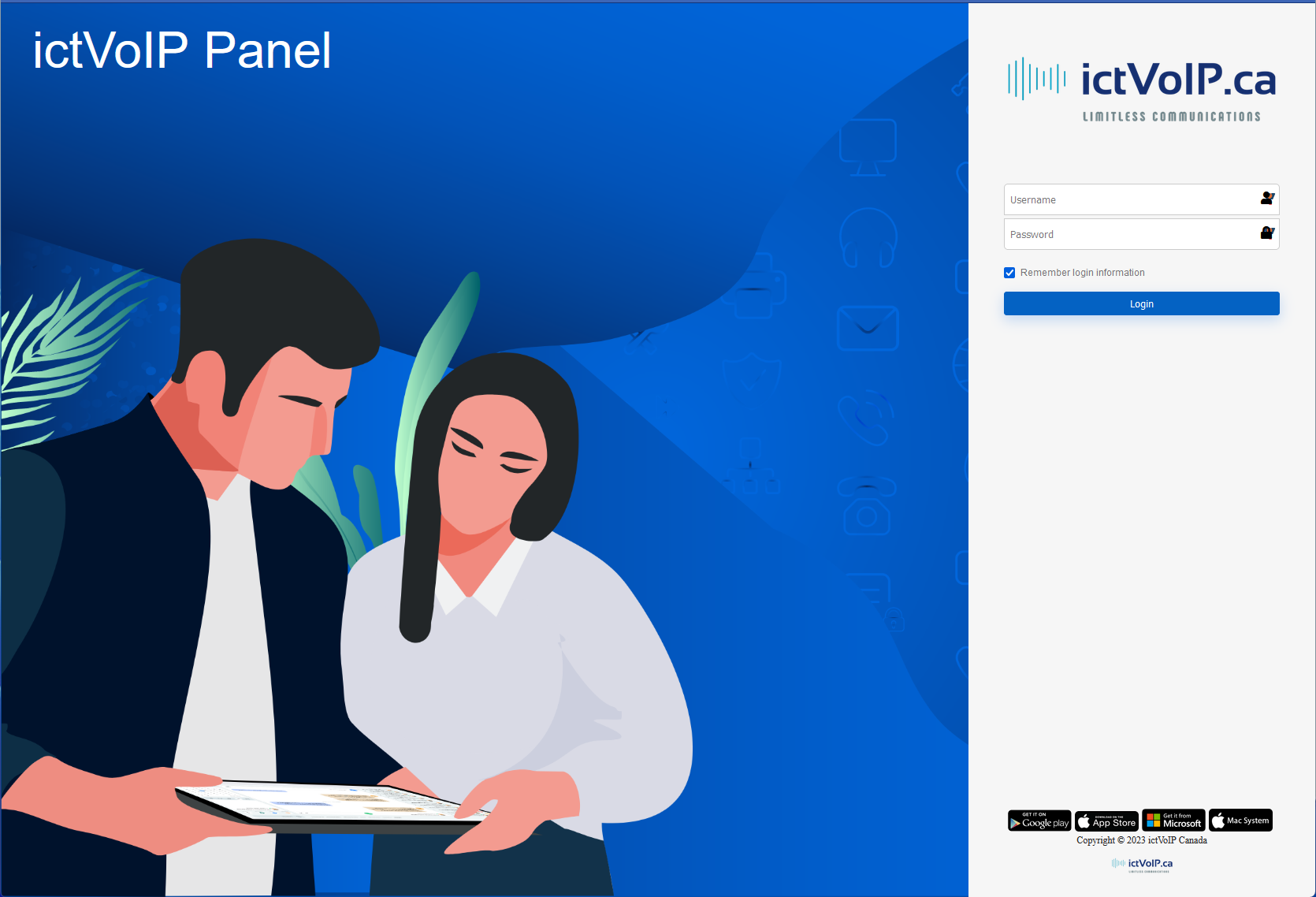
FusionPBX Landing Page
Theme Installation & Customization
This section describes the ictVoIP FusionPBX v5.3.8 Custom Theme, its features, installation, customization, and troubleshooting.
Overview
The ictVoIP theme customizations transform FusionPBX v5.3.8 with: - Custom Login Page (ictVoIP branding, glass-morphism, responsive) - Enhanced Dashboard and UI - Branded assets and modern color scheme
Features
Split layout login page with SVG background
Custom logos and backgrounds
Enhanced dashboard and navigation
FontAwesome icon library
Responsive and modern design
Installation
Prerequisites: - FusionPBX v5.3.8 - Root access to the server - nginx web server - PHP 8.1+ with FPM - PostgreSQL database
Quick Installation: 1. Download the theme files to your FusionPBX server. 2. Run the installer:
chmod +x install_theme.sh
sudo ./install_theme.sh
For a dry run:
sudo ./install_theme.sh --dry-run
Manual Installation: 1. Backup existing files:
sudo cp -r /var/www/fusionpbx/core/authentication /tmp/backup_auth
sudo cp -r /var/www/fusionpbx/resources/fontawesome /tmp/backup_fontawesome
sudo cp -r /var/www/fusionpbx/themes/default /tmp/backup_theme
Copy theme files: .. code-block:: bash
sudo cp -r themes/var/www/fusionpbx/* /var/www/fusionpbx/
Set permissions: .. code-block:: bash
sudo chown -R www-data:www-data /var/www/fusionpbx/core/authentication sudo chown -R www-data:www-data /var/www/fusionpbx/resources/fontawesome sudo chown -R www-data:www-data /var/www/fusionpbx/themes/default
Configure database: .. code-block:: sql
sudo -u postgres psql fusionpbx -c ” INSERT INTO v_default_settings (default_setting_uuid, default_setting_category, default_setting_subcategory, default_setting_name, default_setting_value, default_setting_order, default_setting_enabled, default_setting_description) VALUES (gen_random_uuid(), ‘theme’, ‘login’, ‘login_template’, ‘loginictvoip.htm’, 100, ‘true’, ‘Custom ictVoIP login template’) ON CONFLICT (default_setting_category, default_setting_subcategory, default_setting_name) DO UPDATE SET default_setting_value = EXCLUDED.default_setting_value;”
Restart services: .. code-block:: bash
sudo systemctl restart nginx sudo systemctl restart php8.1-fpm # Adjust version as needed
Customization Guide
Change background: Replace /themes/default/images/login-bkg.svg and update /themes/default/login.css.
Update logo: Replace /themes/default/images/logo_login.png (200x60px recommended).
Custom colors: Edit /themes/default/login.css and set CSS variables.
Dashboard styling: Add custom styles to /themes/default/ictvoip_dashboard.css.
:root {
    --primary-color: #your-color;
    --secondary-color: #your-color;
    --accent-color: #your-color;
}
/* Custom dashboard styles */
.dashboard-widget {
    background: linear-gradient(135deg, #667eea 0%, #764ba2 100%);
    border-radius: 10px;
    box-shadow: 0 4px 15px rgba(0,0,0,0.1);
}
$theme_name = 'ictvoip';
$theme_description = 'ictVoIP Custom Theme';
Troubleshooting
Login page not displaying: Check DB setting for login_template.
Theme not loading: Clear caches, check permissions.
Missing images: Verify file locations and permissions.
CSS not applied: Clear browser cache, check file permissions.
Debug mode: Add error_reporting(E_ALL); ini_set(‘display_errors’, 1); to config.php.
Log files: Check /var/log/nginx/error.log, /var/log/php8.1-fpm.log, /var/log/fusionpbx/.
sudo -u postgres psql fusionpbx -c "SELECT * FROM v_default_settings WHERE default_setting_name = 'login_template';"
sudo rm -rf /tmp/fusionpbx_cache/*
sudo chown -R www-data:www-data /var/www/fusionpbx/themes/
ls -la /var/www/fusionpbx/themes/default/images/
// Add to config.php
error_reporting(E_ALL);
ini_set('display_errors', 1);
/* Add to login.css */
:root {
    --ictvoip-primary: #1e3a8a;
    --ictvoip-secondary: #3b82f6;
    --ictvoip-accent: #f59e0b;
    --ictvoip-text: #1f2937;
    --ictvoip-background: #f8fafc;
}
/* Replace background in login.css */
.login-container {
    background: linear-gradient(135deg, #667eea 0%, #764ba2 100%);
    background-size: 400% 400%;
    animation: gradientShift 15s ease infinite;
}

@keyframes gradientShift {
    0% { background-position: 0% 50%; }
    50% { background-position: 100% 50%; }
    100% { background-position: 0% 50%; }
}
/* Add to login.css */
.login-logo {
    filter: drop-shadow(0 4px 8px rgba(0,0,0,0.2));
    transition: transform 0.3s ease;
}

.login-logo:hover {
    transform: scale(1.05);
}
Support
Knowledgebase: https://www.icttech.ca/index.php?rp=/knowledgebase
Email: support@ictvoip.ca
—
For full details, see the README_THEME.md included with your theme package.